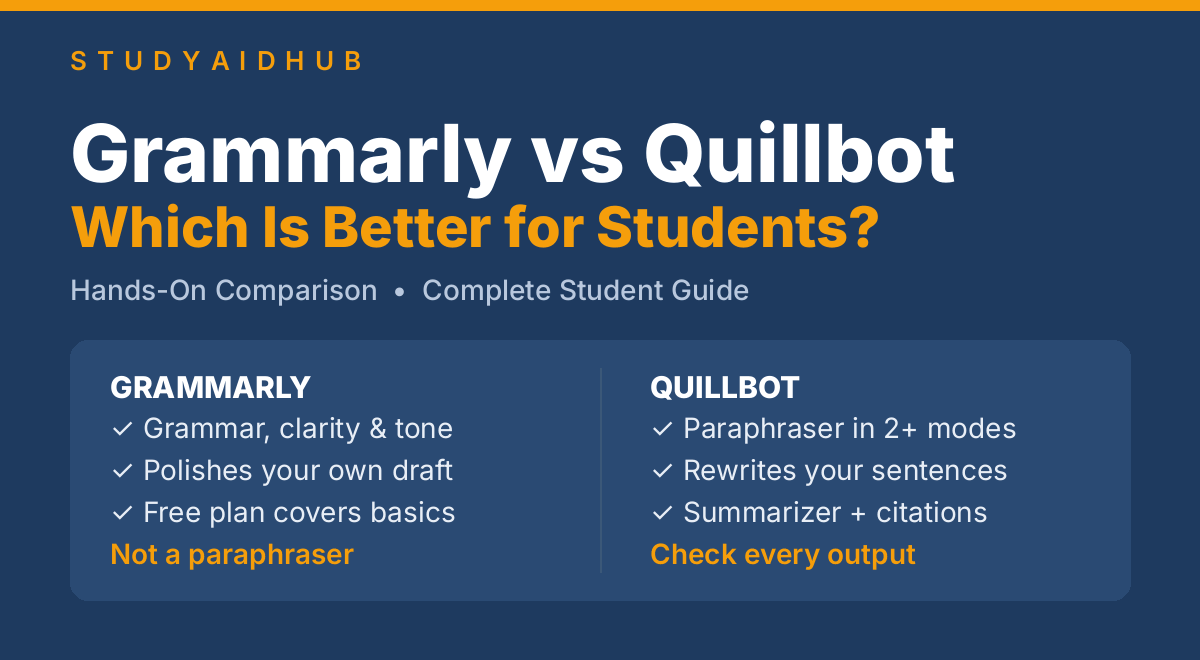
Grammarly vs Quillbot: Which Is Better for Students?
Your essay is due tomorrow. You have finished drafting it, but there are sentences that sound awkward. A friend suggests Grammarly, while another argues Quillbot is better for this purpose. So, whom do you turn to first?
There cannot be any definite answer because it all depends on your needs. This Grammarly vs Quillbot article compares the two tools based on grammar checking, paraphrasing, free plan limits, and prices. After reading the article, you will find out how to compare Grammarly and Quillbot using the same short academic essay. The comparison is based on features and official information, not on actual tests run by us.
⚠️ Academic Integrity Note: Use these tools to improve your own writing — not to disguise text copied from another source. Presenting copied text as your own is plagiarism, and so is paraphrasing someone else’s text without citing the source.
You can also read our recent guide on How To Use ChatGPT To Study for Exams.
Grammarly vs Quillbot
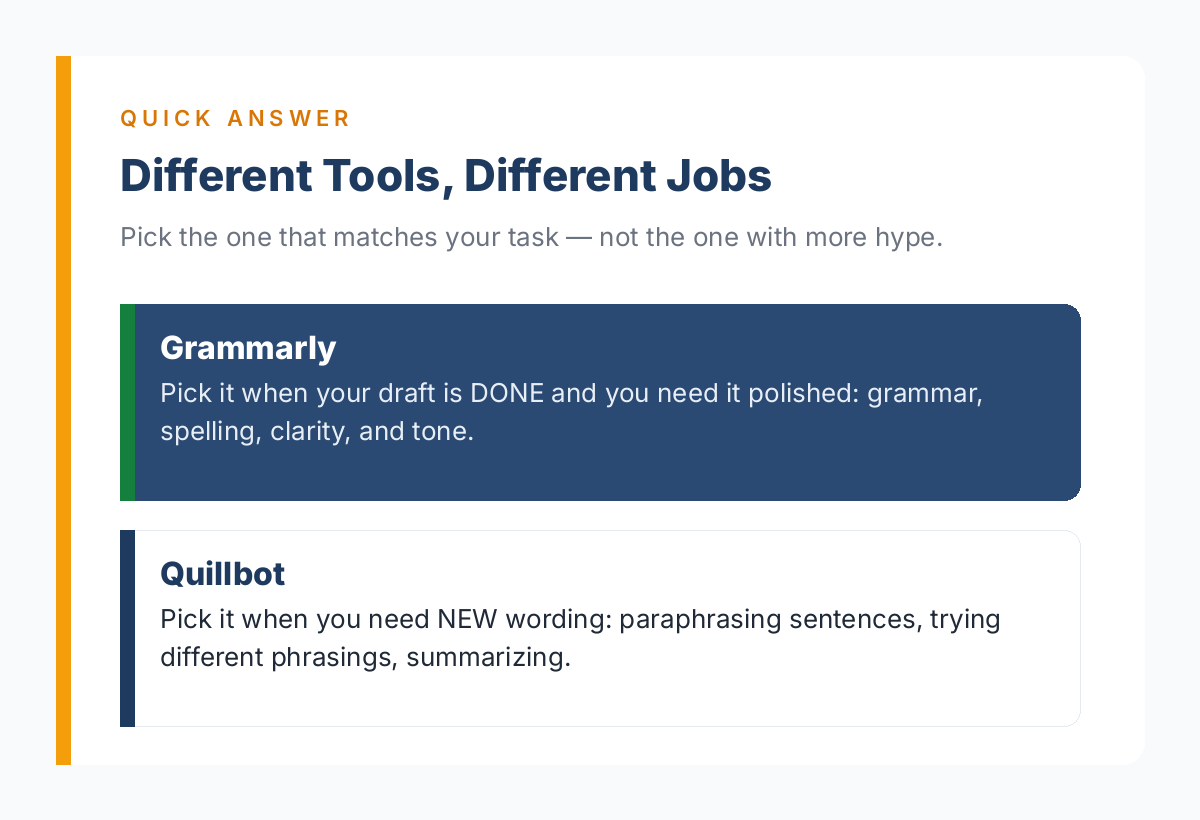
Both Grammarly and QuillBot are very good options to begin. Grammarly is the better first choice if you want to edit your draft. It provides users with spelling, grammar, punctuation, and feedback regarding clarity of their sentences.
QuillBot is a much better first choice if you have to experiment with different ways of expressing a thought. Its main tool is its paraphrasing software. Both programs provide grammar help, and both now have added AI writing features. If you have completed your draft already, go with Grammarly. If you want to practice paraphrasing, then have a first look at QuillBot.
How We Compared Them
A fair comparison should look at how each tool functions, what it offers for free, and how useful it is for student assignments.
Below are the main areas to compare:
- Grammar and spelling: Can the tool identify common writing mistakes?
- Clarity and tone: Can it help make a sentence easier to understand?
- Paraphrasing: Can it express the same idea in different words without changing the meaning?
- Free-plan limits: How much can you do without paying?
- Pricing: What does a paid subscription cost?
- Academic use: Can you use its suggestions responsibly in schoolwork?
This article evaluates the tools using their published features and official pricing information. It does not claim that a live, hands-on test of the same 300-word sample essay was completed.
Therefore, it does not assign invented accuracy scores or claim that one tool caught more errors in an unperformed test. Prices and limits can change, so check the official pages before subscribing.
Grammarly – Best for Polishing Your Writing
Grammarly can also help you find problems in the content you have already generated. It analyzes your content and shows missing commas, spelling mistakes, the use of the wrong verb forms, and overly tough phrases. Its tone feedback also helps you notice when a sentence sounds too casual or too strong for a school paper.
For example, instead of the phrase “The students was not ready for there exams,” you should say “The students were not ready for their exams.” Your idea is still yours. It also works with other tools such as Google Docs and Microsoft Word, which is interesting if you are doing your homework in these applications. Grammarly is also great at paraphrasing since it has recently published its rewriting features.
Grammarly Free vs Premium:
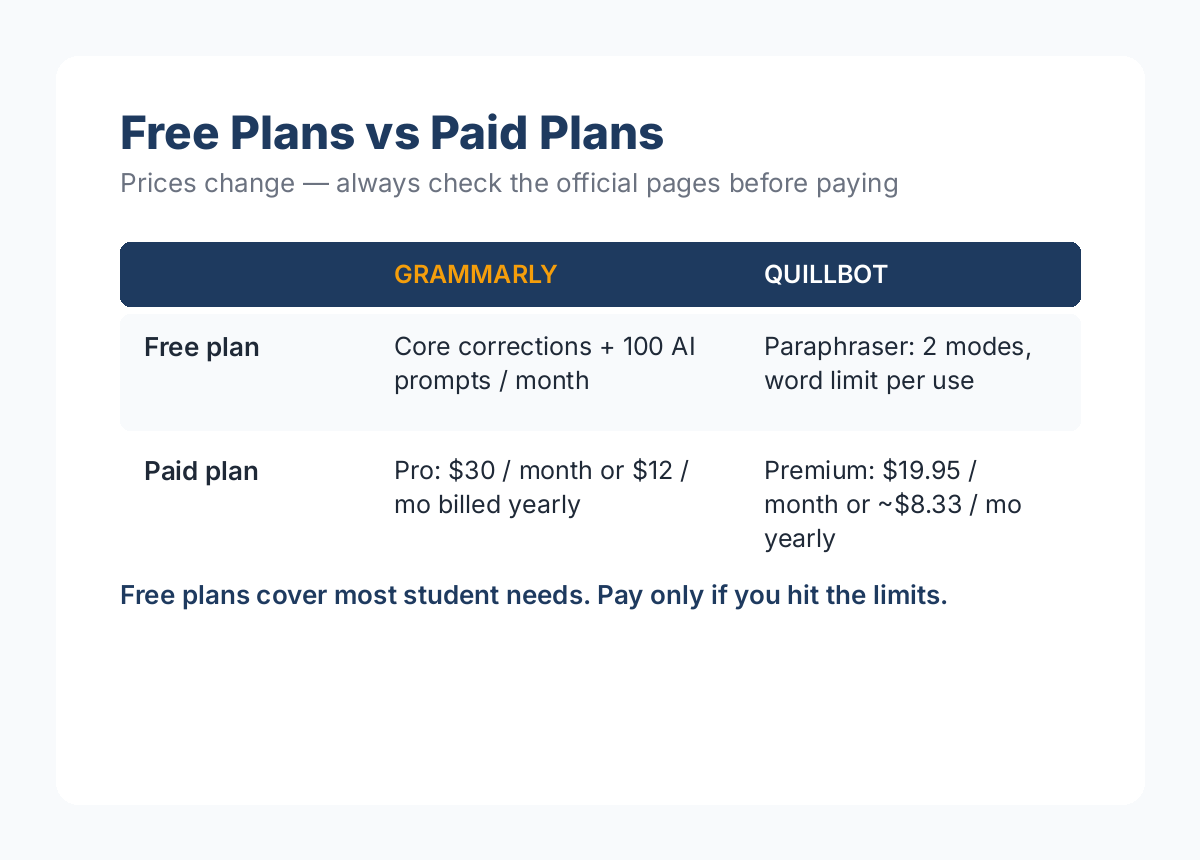
Grammarly’s current paid plan is called Pro, while Premium is the old name, which can still be found in search results. The free plan provides spelling and grammar checks, tone detection, and 100 generative AI prompts per month. Grammarly does not specify a general word limit for basic grammar checks on the page we looked at.
Pro has more advanced and up-to-date writing suggestions, full-sentence rewriting, tone adjustments, plagiarism features, and 2,000 AI prompts per month. So, if a person wants only a few basic corrections, they can start with the Free plan.
Grammarly Pricing:
On Grammarly’s official Pro page, the prices for the United States as of October 19, 2026 are listed as $30 billed monthly, or $12 per month with annual billing. This is an annual subscription plan, meaning you’re paying for twelve months at a time and not for just one month. Please make sure you understand the final cost before proceeding to the payment screen.
Three Strengths:
- Firstly, it is easy to use to proofread essays that you have written.
- Secondly, Grammarly focuses on providing useful information to improve writing, such as recommendations for grammar, clarity, and tone.
- Thirdly, the free plan covers many common mistakes in writing.
Two Weaknesses:
- Advanced rewriting and other features require Pro.
- Suggestions can alter the phrasing such that the rewritten sentences often sound different than the original, and you still have to make decisions on what changes are appropriate to your meaning and the instructions of your teacher.
Grammarly cannot do the work of research and building a strong argument for the user. Unlike Quillbot, its primary purpose is not dedicated paraphrasing modes.
Quillbot – Best for Paraphrasing
The main feature of Quillbot is its Paraphraser, which offers alternative wordings of given text. Quillbot has two modes. The first one is Standard, and the second is Fluency. Both are available even for the free version. The first mode focuses on providing a different wording that keeps the sense of the original paragraph.
On the other hand, the second mode produces a paragraph that prioritizes readability and fluency of the text. Premium users have an option to choose between more modes and customize the settings.
For example, if the initial sentence is ‘Regular reading helps students learn new words,’ the paraphrased sentence can look like ‘Students can build their vocabulary by reading often.’ Similar phrasing can be produced for each sentence, but it is advisable to read the entire paragraph to ensure that all modifications are relevant and make sense.
This feature can be especially helpful for avoiding repetition in your own texts and learning new phrasing. However, you should remember that a software tool can never replace a human writer. Therefore, you should always check if the generated text is fluent, accurate, and appropriate for the required audience.
Other Quillbot Tools:
Quillbot has a Grammar checker to correct spelling, punctuation, and other basic grammar mistakes. It also has a summarizer to create short summaries by highlighting the important points of a lengthy passage and a citation generator that creates properly formatted citations. However, users should double-check the summary for significant changes and the required style guide for citations.
If your assignment includes AI-generated content and your instructor tells you to cite it in APA style, read our How to Cite AI in APA Format guide for helpful examples.
Quillbot Free vs Premium: What are the limits?
The free Paraphraser tool offers Standard and Fluency modes to choose from. One notable thing is that the official Quillbot website does not provide a clear description of the word limit. The website’s main pricing page stated that it offered 100 words per paraphrase at the time of writing, while the help center listed 125 words. The free Summarizer tool’s plan comparison page listed 1,200 words. Limits appear to vary depending on the account, location, and product page.
The Premium plan removes the word limits associated with the basic paraphrasing tool, unlocks additional modes, and provides other useful features. It can be a wise investment for someone who wants to paraphrase longer content frequently, but it is not obligatory for the majority of students, as the free plan appears to give much value even on the higher end of word limits.
Quillbot Pricing:
The Quillbot official upgrade page shows $19.95 for one month and 8.33 per month with yearly billing (99.95 for 12 months. Another official Premium page displayed an annual offer of $4.17 per month.
They mention that the price “varies depending on your current location, selection, and ongoing promotions, so the amount you see at the time of checkout will be the price you have to pay.” These are examples in USD, not a set worldwide price.
Head-to-Head Comparison Table
| Tool | Best For | Paraphrasing | Grammar Checking | Free Plan | Paid Plan |
| Grammarly | Improving your own draft | Rewrites available, especially with Pro | Main focus on grammar, spelling, clarity, tone | Core corrections + 100 AI prompts/month | Pro: $ 30/month or $12/month billed annually |
| Quillbot | Trying different wording | Main focus: Standard and fluency-free | For basic grammar checking, it is free. For advanced checking, go for paid. | 100 words per paraphrase on the main pricing page; the help center says 125 | Premium: $19.95 monthly or $8.33/month annually on one official upgrade page; offers vary |
Which Tool You Should Choose?
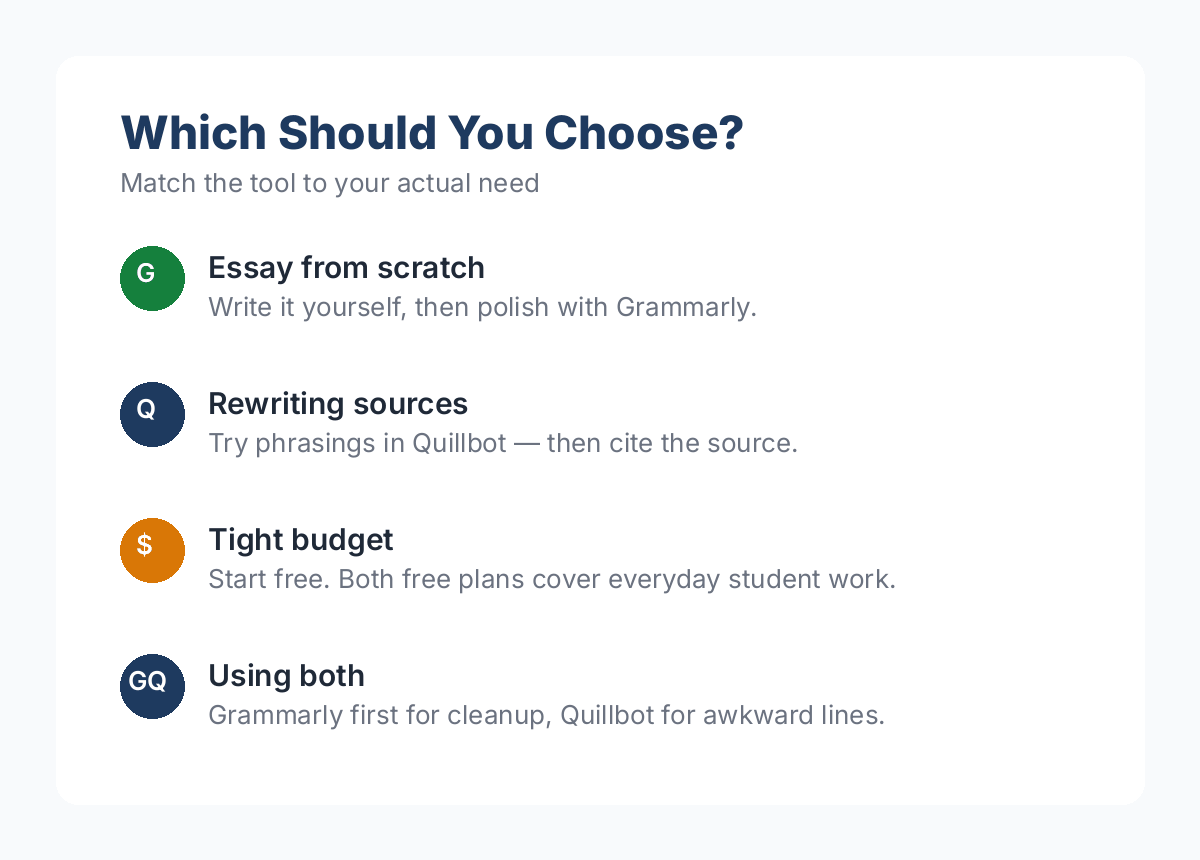
- If you want to write an essay from scratch, Grammarly is the best option. You write your introduction, then write your body, and finally, write your conclusion. After that, read your paper and use the tools provided by Grammarly to find out if there are any possible mistakes in your paper. This way, you will be making some good work using the tool and keeping the power of your mind.
- If you are looking for a way to paraphrase ideas from a paragraph, then you can use QuillBot to get suggestions about certain phrases. But it is better to read the paragraph, close it, and then write the important points of that paragraph in your own words. After that, you can check the accuracy of your text by comparing it to the paragraph.
- If English is not your first language, then Grammarly is a good place to start if your main issues are with verb forms, punctuation, and sentence structure. QuillBot can help you learn about alternative word choices. Without testing them out on a live document, it’s hard to say which one finds more errors commonly made by ESL students. So try them both on a paragraph you’ve written and keep the suggestions that make sense to you.
- If your budget is limited, then choose the free plan. Grammarly Free can handle most of the everyday grammar and punctuation tasks. QuillBot Free is great for rewriting a handful of sentences. Don’t be fooled by the lower-looking price for the yearly plan. Put the number of times you’ll use the premium features into the equation.
- If you want to use them both, then first, use Grammarly to draft and correct your own essays, and then use Quillbot to experiment with word choices in a sentence that still feels a little awkward. Read your final paper aloud to yourself. Grammarly and Quillbot are both expensive tools to have if you only need to make a couple of spelling corrections or rewrite a handful of sentences per week.
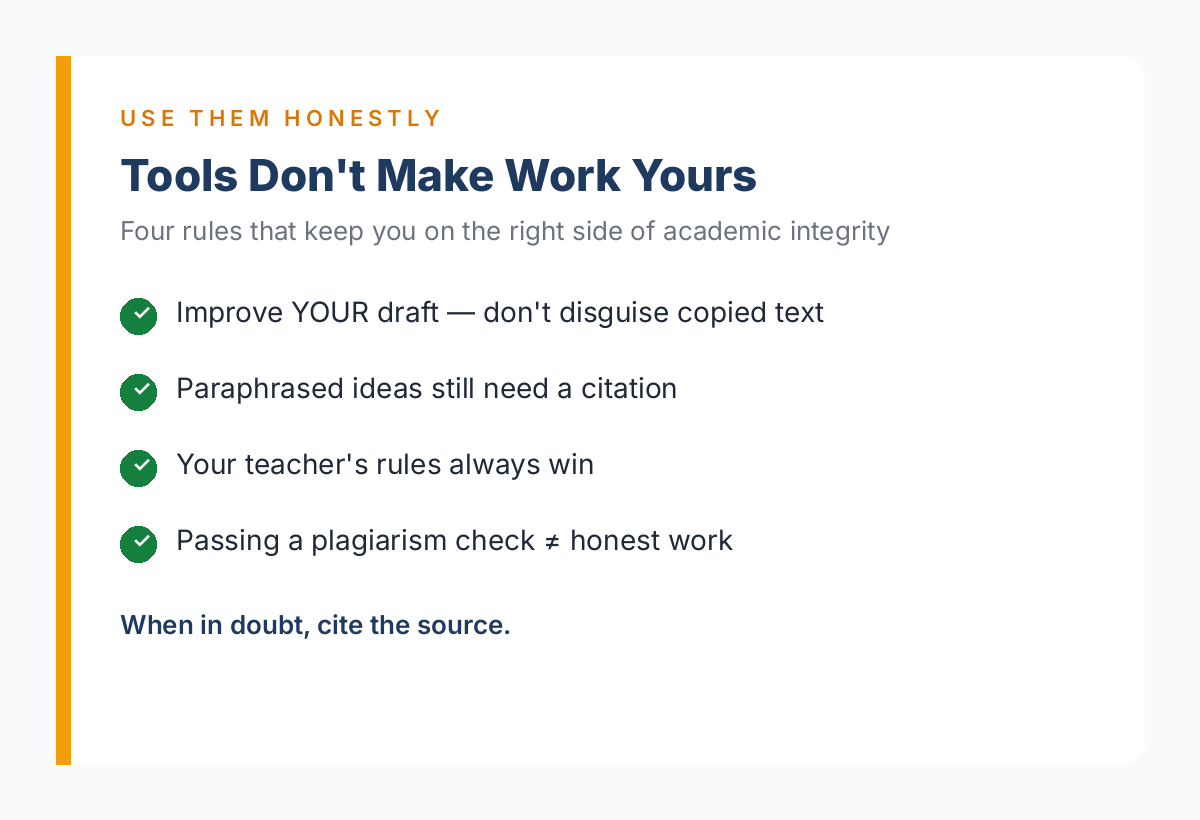
Use Them Honestly: Academic Integrity
- Paraphrasing a source is not the same as understanding it — and a paraphrased paragraph still needs a citation.
- Running someone else’s text through Quillbot does not make it your work.
- If your teacher or professor bans AI writing tools for assignments, their rules win — always.
- A plagiarism checker passing does not mean the work is honestly yours.
Pricing and plan limits last verified against Grammarly and Quillbot official pages: October 19, 2026.
Frequently Asked Questions:
1. Is Quillbot superior to Grammarly?
QuillBot is generally a better option for paraphrasing purposes than Grammarly. On the other hand, Grammarly is more practical when the assignment has been completed and requires editing for grammar, punctuation, clarity, and tone. Both tools have pros and cons that make them ideal for certain tasks. Select the tool that solves your specific problem.
2. Can I combine Quillbot and Grammarly?
You can combine both tools as long as they are allowed by your school or college. You can write your essay and edit it using Grammarly and paraphrase it using QuillBot without paying for both services.
3. Which is more affordable for students?
Grammarly Free has basic functions for typical writing errors in addition to providing 100 AI prompts monthly. QuillBot Free has basic features, two modes, and a limit on the number of words each time. If grammar is your main concern, you can start with Grammarly Free.
4. Does paraphrasing with Quillbot avoid plagiarism detection?
No — and that is the wrong question to ask. A paraphrased paragraph of someone else’s ideas is still their ideas, so it needs a citation no matter how different the wording looks. Detection tools keep getting better at spotting paraphrased text, and running a source through Quillbot does not make it your work. Use paraphrasing to learn new phrasing on your own sentences, then cite every source you borrowed ideas from.
5. Will my professor know if I used these tools?
Maybe — but not in the way you think. Professors rarely run an AI tool detector; what they notice is a sudden change in your writing voice, vocabulary, or sentence rhythm. More importantly, if your course bans writing tools for an assignment, that rule decides it, not whether anyone can tell. Use Grammarly and Quillbot to improve drafts you wrote yourself, and always follow your instructor’s policy.
Final Words:
The short answer to the Grammarly vs. QuillBot is that they are both excellent tools but designed for different purposes: Grammarly focuses on proofreading and enhancing already written texts. QuillBot is made for paraphrasing and rewording sentences. Choose the tool that best suits your needs.
Start with the free version that perfectly fits your assignment, read each suggestion, and keep learning the grammar and paraphrasing skills behind it. Bookmark the comparison table so you can check the key differences the next time an essay is due.
✍️ About the StudyAidHub Team
The StudyAidHub team hands-on tests AI tools for students — every guide is based on real testing and verified against official sources, so you get advice you can actually trust. Learn more about how we test →