How To Use ChatGPT To Study for Exams – 7 Simple Steps
Your exam is tomorrow. You open your laptop hoping to find a way to start studying, and you see 200 pages of lecture notes. Don’t know where to start? Then maybe learning how to use ChatGPT to study for exams will help you.
By using ChatGPT, you can start organizing the information and determine what you really need to study.
Not only can you use ChatGPT to study for exams by asking it questions, but also to create quizzes, flashcards, and study guides.
I’ll give you some examples of ways to use ChatGPT to study for exams and also give you the exact prompts to ask. The point of this article is to help you learn as much as possible about the subject you are studying for, not to help you find a way around doing your work.
Academic Integrity Note: This guide is designed to help you learn the information faster and better, rather than trying to get ChatGPT to do your homework for you. Using an AI to answer questions on a test and then submitting the work as your own could be considered cheating by their university. It is best to study hard and smart, and follow the guidelines set out by one’s teachers.
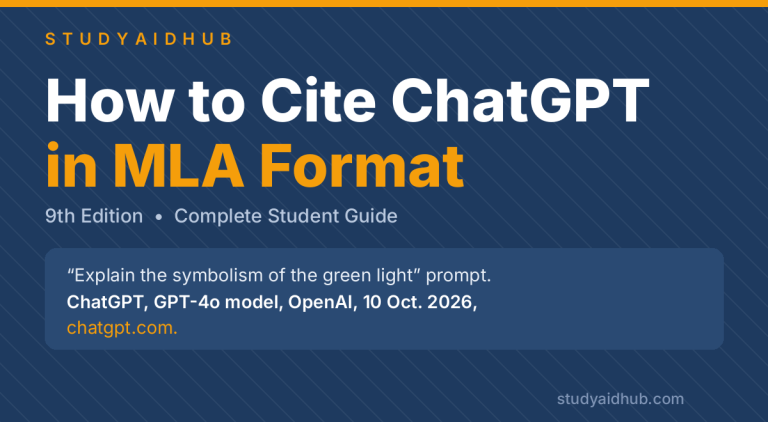
Also, read our latest guide on How to Cite ChatGPT in MLA Format – 9th Edition.
How To Use ChatGPT To Study for Exams? 7 Simple Steps (According To Experts)
To study with ChatGPT, first, you need to paste your notes or upload one of the available course documents. Then, ask the AI to create a study guide containing the necessary concepts and definitions.
The next step is to ask it to generate practice problems for you and, having completed them, use the chatbot to review any mistakes. After that, you should return to the topics that you didn’t fully understand and ask ChatGPT as many questions as needed. Remember that it is only a tool, so you must always study the provided materials on your own.
1. Set Up ChatGPT for Better Study Sessions
You need to give clear instructions for ChatGPT to get the best out of your study sessions. ChatGPT does not have information about what your professors teach; therefore, you need to give it some pointers. Provide information about your course, level of study, the date of the exam, type of questions, and topics that you find hard to understand.
For instance, a first-year college student studying biology needs different practice tests compared to an older student. Here is an example of a prompt.
Copy-paste prompt:
I’m a [year] college student studying [course]. My [midterm/final/quiz] is on [date]. It covers [topics], and the test comprises [multiple-choice/short-answer/problems]. My weak areas are [list]. Help me study using my notes. Keep track of the topics I need to improve on throughout the conversation and quiz me on them again later. For better understanding, I just want one question at a time from you.
If you want to use ChatGPT to study by asking and answering questions, you can use the new ChatGPT Study Mode. It is designed to help students studying alone to develop critical thinking skills rather than just answering questions. You can access it on the ChatGPT’s Free or Plus plan.
| Features For Studying | Free | Plus |
| Regular Study Chat | Available | Available |
| Free Mode | Available | Available |
| Notes and PDF Uploads | Accessible with tighter limits | Available with broader limits |
| Memory and Context | Limited | Expanded |
| Best Fit | Shorter, regular study sessions | More frequent work with longer materials |
Start with free plan. However, consider Plus plan if higher limits would help for you. With the passage of time, features can change; therefore check OpenAi pricing page for up-to-date details.
2. Turn Your Notes and Lectures Into Study Guides
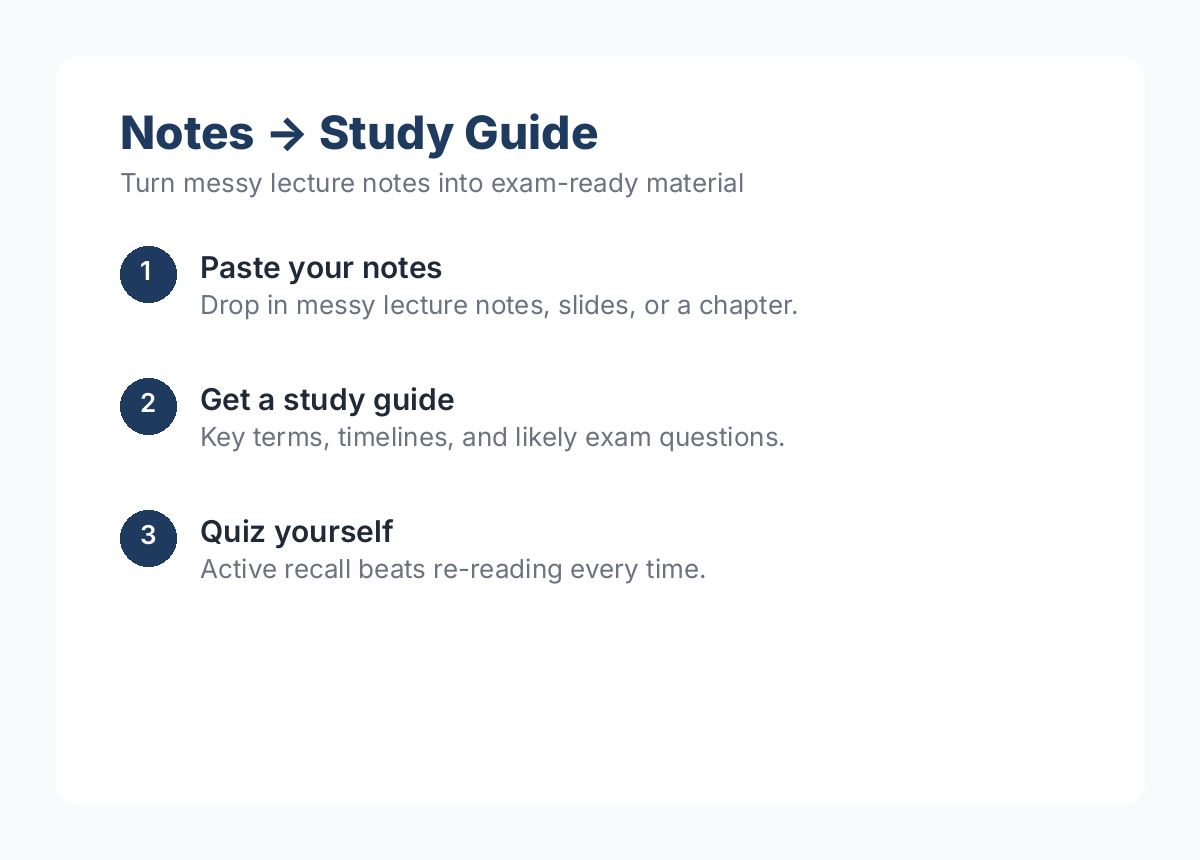
One of the easiest and most effective ways to use the power of ChatGPT is by transforming disorganized notes or dense slides into study guides.
The process is simple: Copy the notes from a lecture or chapter and ask the AI to create a summary of what it understands. Compare the generated summary to the original notes and add any missing information.
Here’s how you can turn almost anything into a study guide:
Copy-paste prompt:
Here are my notes about [topic name]: [notes content]. Based on my notes, I want you to make a study guide for me. Use only the information from my notes and nothing else. The study guide should have 1) five vocabulary words with definitions in one sentence each, 2) a chronological order of events if applicable, and 3) three potential questions and answers for an exam. Please bold important terms, and if there’s not enough information, note that in the study guide.
For a biology class, ask it to provide a process instead of a chronological order.
If the notes are in a PDF or slides, you can sometimes upload them as a file – if not, copy-paste the relevant notes. I’d suggest doing a single chapter at one time rather than all at once. You can also ask it to make sure the information aligns with what was taught in class.
3. Generate Practice Questions and Quizzes
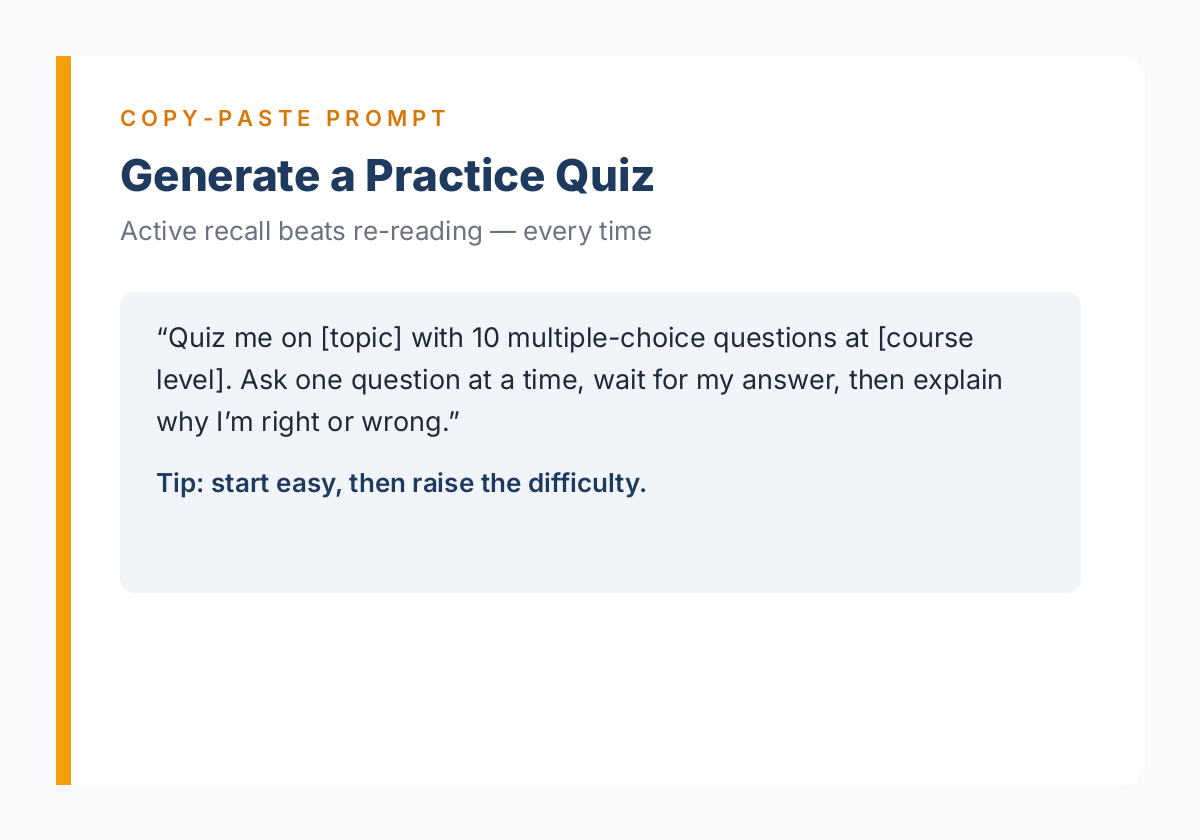
Practice questions are one of the most valuable tools for preparing for an exam with ChatGPT. Testing yourself is a form of active recall, which has been proven to be critically important for long term memory retention in learning. Self-testing is especially beneficial when preparing for exams because the science of learning supports such techniques as practice testing and spaced repetition.
Use these prompts to get ChatGPT to generate practice questions and quizzes that help you learn and retain information in the best way possible. Start with simple questions and gradually increase the level of difficulty, as you would when preparing any test taker for an exam.
Copy-paste prompt 1 — Multiple-choice quiz:
Quiz me on [topic] with 10 multiple-choice questions at [course level]. Use my notes below: [paste notes]. Ask one question at a time, then give feedback and proceed with the next one. Wait for my answer, then state if I got it right or wrong, explain the answer, and move to the next question. Do not list all the answers at once.
Copy-paste prompt 2 — Short-answer practice:
Develop five short answer exam questions on [topic] at [college/undergraduate] level. Use the following notes: [notes or course content outline]. Include a separate answer key indicating key points of each answer at the end of the questions.
Copy-paste prompt 3 — Learn from a mistake:
On this practice question, I got the following answer: [paste question]. The correct answer according to my course material is: [correct answer]. Please explain the concept in simple terms that I misunderstood in my answer. Next, compose a similar question so that I can demonstrate my knowledge of the corrected concept.
After taking a practice quiz, go over your incorrect answers and come up with questions on those topics that you will answer tomorrow. ChatGPT’s quiz score is not an indicator of your exam results.
4. Get Explanations That Actually Make Sense
Sometimes your book uses five complicated words to describe one simple idea. Ask ChatGPT to explain using simple language. Ask it to explain briefly, give an example, or create a lesson plan.
Copy-paste prompt 1 – Real world example:
Explain [concept] using a real-world analogy that a first-year college student would understand. First give a very simple definition, then explain how the analogy relates, and finally explain how the analogy isn’t perfect.
Copy-paste prompt 2 – Step-by-step help:
Walk me through solving [problem type] step by step. Only explain the first step, then ask if I understand before moving on. Let me try the next step, and then move on to the next one. Use [course method] if I give one.
This lets you get help with a math or science class without just giving you the answer.
Are there two similar terms that are confusing you? Ask for a comparison chart
Copy-paste prompt 3 – Comparison table:
Compare [concept A] and [concept B] in a simple table that has these headings: definition, differences, example, and other notes. Only use [my notes/the information pasted below].
Finally, explain the concept in your own words without looking at any examples.
5. Build Flashcards and Memory Aids
Flashcards are useful for memorizing definitions, dates, formulas, and other factual information. With ChatGPT, you can turn a few paragraphs into a set of question-answer pairs that you can study right away.
Copy-paste prompt – Flashcards:
Make 15 flashcards from these notes: [notes]. Front side should ask a question about the topic; the back side should provide a concise answer. Place each question-answer pair into a two-column table with the columns labeled Front and Back. Make sure that each flashcard contains only clearly defined information that can be found in the provided notes.
You can copy the resulting table into a flashcard app and study the pairs right away. Alternatively, you may want to export the table as a CSV file and import it into Quizlet or another app of your choice. Remember to highlight the most challenging cards and review them more often. In addition, you might want to practice explaining related concepts without looking at the back of the flashcard.
Copy-paste prompt – Memory aid:
Make a memory aid for memorizing this list: [items]. Describe what each element stands for. Keep the items in their original order and make no changes to any of them.
When studying a list of items that do not lend themselves well to memorization, consider asking for a brief history of the subject or a mind map of the topic. For history and biology-related subjects, you can request a chronological listing of events or a set of concept maps related to the topic. However, you should always prioritize comprehension over memorization when studying complex concepts.
6. Make a Realistic Study Plan
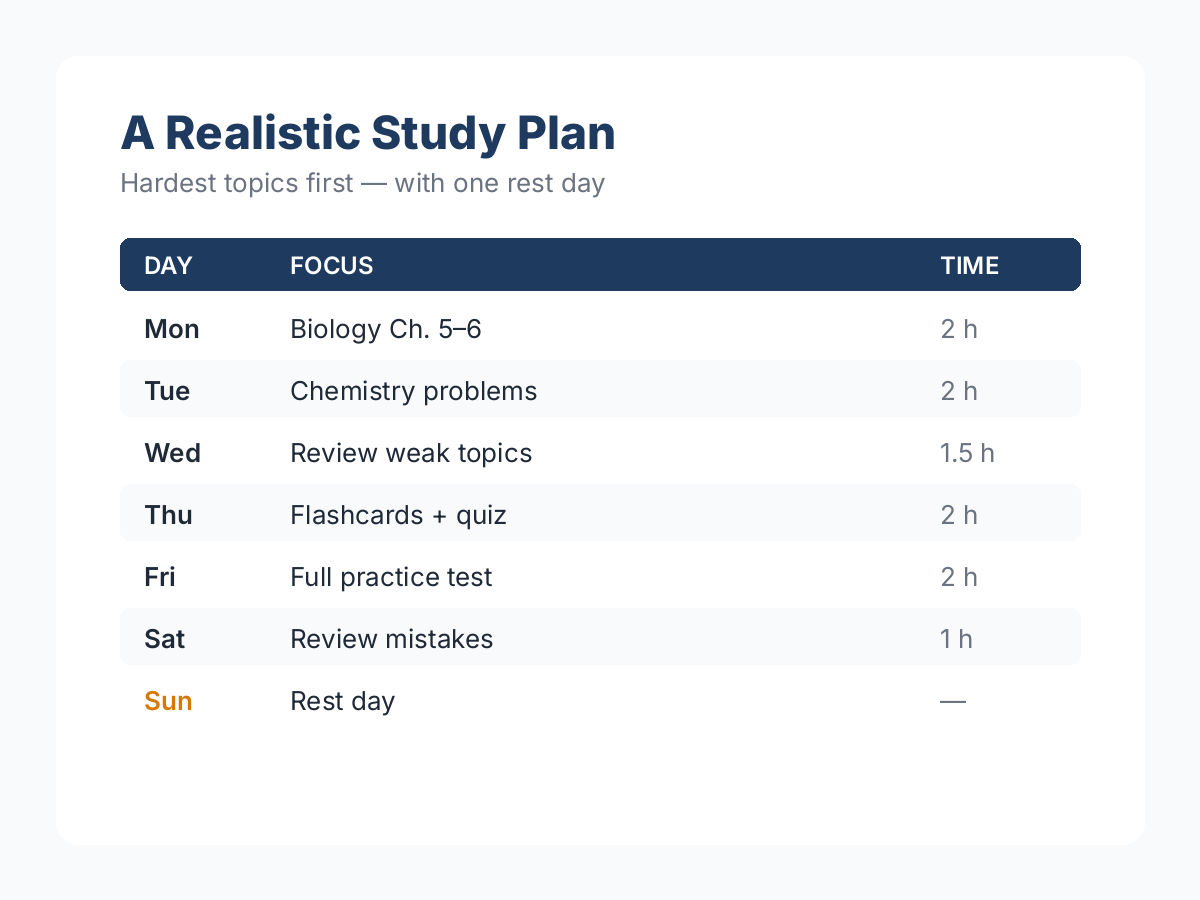
A study schedule that is not realistic is useless. Before you proceed to ask ChatGPT to prepare it for you, make sure to indicate the number of days available for studying, the topics to learn, and the hours you can devote to studying each day.
Be sure to leave room for other activities, including work, rest, meals, and sleep.
Copy-paste prompt – day-by-day schedule:
My [subject] final exam is on [date], and I need to prepare. I have [X] hours per day to study. The exam covers [list of topics], and my weakest areas are [list of topics]. Prepare a day-by-day schedule to study for my final that begins on [start date].
The plan should prioritize topics, include practice and review, and have a day off for rest if possible. Display the plan in a table format, and make sure to schedule more difficult topics for earlier days, and include daily practice and review.
I recommend that you focus on answering practice questions during the last days of your study plan because, by that time, you may have already covered most of the required material. If you see that your study plan has little chance of succeeding because of insufficient time, revise your schedule.
Copy-paste prompt – catch-up plan:
I have [number] days to catch up on my studies. My final exam is on [date], and I have [hours] per day to study. Revise my study plan below using the new information. Please prioritize the most valuable topics from my course and include practice and review questions. Do not recommend sacrificing sleep or other crucial activities.
7. Check Your Answers
ChatGPT can help check your answers, but at the same time, it may give a false sense of security by providing a wrong one. It is especially important when you study mathematics, chemistry, statistics, or other sciences requiring precise knowledge and references.
Use it to identify potential mistakes, but do not take it as your only answer key. When there is an official answer provided by your professor, try to compare your steps to those first.
Copy-paste prompt:
Here is a practice question: [question]. Here is my work and answer: [your work]. Review my work and point out possible mistakes. Tell me what steps I should check in order not to make a mistake again. Do not assume my answer is right. If you doubt it, tell me so. I will compare my answer to the course materials.
If it contradicts your professor’s slides, follow your professor’s ones for the course requirements.
What NOT to Use ChatGPT For
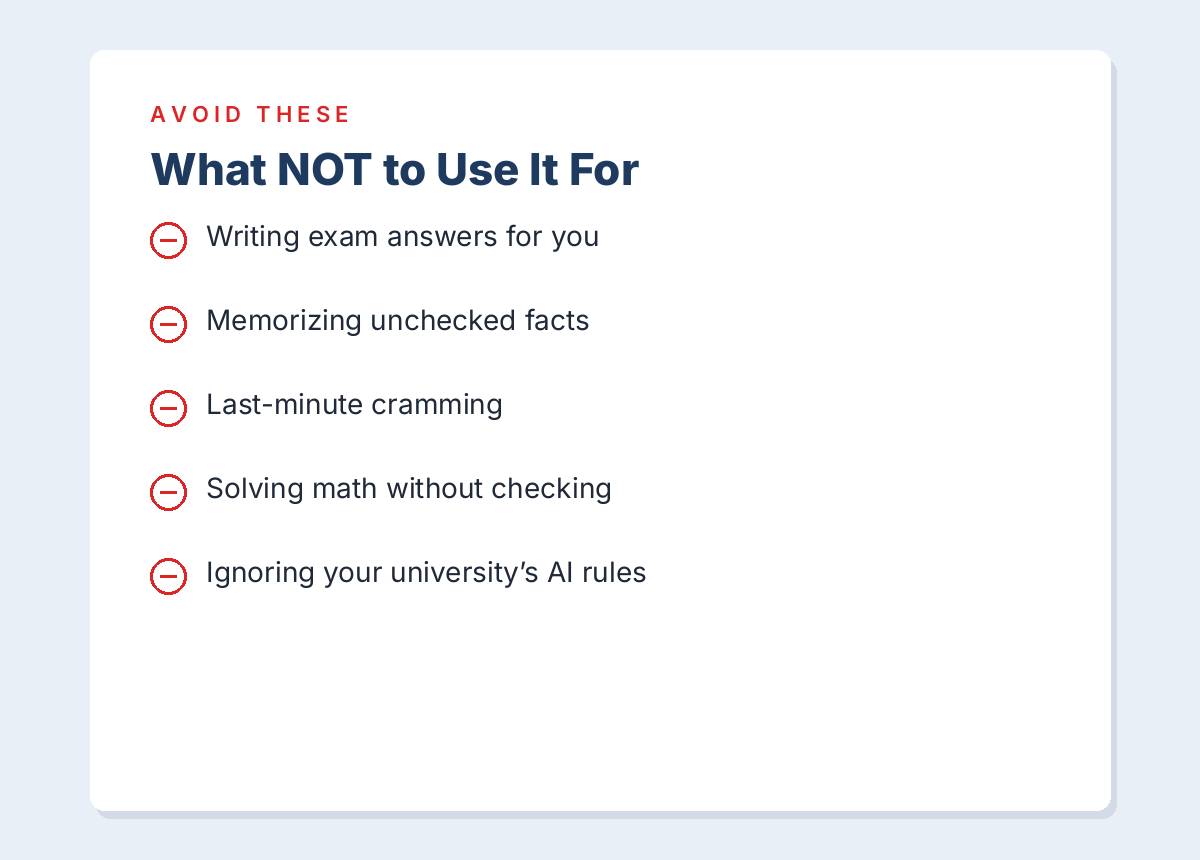
While ChatGPT is a valuable resource for learning and studying, there are specific ways that you should not use it.
- Writing exam answers: Using the tool to write out answers for you could potentially be seen as academic dishonesty.
- Memorizing unchecked facts: Always research and fact-check what the AI presents to you before you try to memorize it.
- Last-minute cramming: It is not advisable to use an AI to cram for an upcoming test.
- Solving math without checking: The AI could make calculation errors.
- Ignoring university rules: Always follow your university guidelines pertaining to AI use. If unsure, ask your professor. It is important to know how to properly Cite AI generated material if needed.
Frequently Asked Questions:
1. Is using ChatGPT to study considered cheating?
Using ChatGPT for quizzes and study guides is typically acceptable, but using it for assignments could violate academic integrity policies.
2. Is ChatGPT Free enough for exam preparation?
The Free plan has useful features, including study tools and quizzes, but you can expect more from the Plus plan.
3. Can ChatGPT create a study guide from a PDF?
Yes, you can upload a textbook as a PDF to ChatGPT and ask for questions and study guides. However, always double-check the information in ChatGPT against your textbook.
4. How accurate is ChatGPT for exam prep?
There are some inaccuracies in ChatGPT, especially in math and science. For critical information, double-check ChatGPT against your course material.
5. What are the best ChatGPT prompts for students?
The most effective prompts for ChatGPT include clarifying what you want, asking for specific subjects, and designating an exam or quiz grade.
Final Words
Using ChatGPT can help you make the most out of the studying you already do. You should use it to test yourself, not as a way to avoid learning. Store the prompts in this guide for later use and modify them as needed for each class. Always ensure that you are learning what you